Water reminders that work around your meetings
Millpond is a calm water tracker app for iPhone and Apple Watch for desk-bound work days: with Pro, it reads when you're busy and times reminders around your meetings. Free to download, with an optional Pro.
Reminders that wait for the meeting to end.
Somewhere between stand-up and the quarterly review, ten o'clock became four. The glass on your desk hasn't moved.

Your work day with Millpond
- Around meetings
- With Pro, reminders wait out meetings and focus blocks, nudge you just before a long run starts, and catch up once it ends.
- A glance
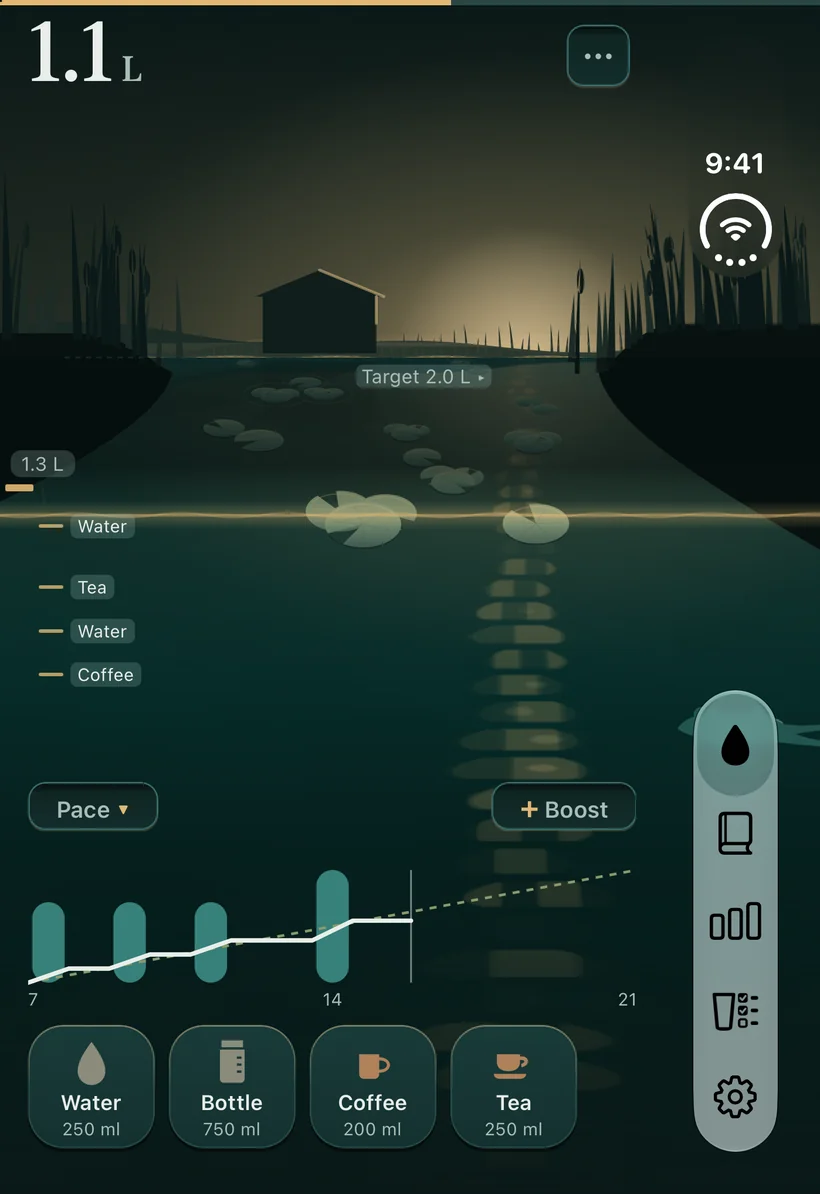
- The pace line on Home shows where today is heading, so one glance between calls is enough.
- One tap
- Tap the widget to log without opening the app.
- Free
- Reminders inside your working hours, without the calendar. Reminders without a calendar
How do I remember to drink water in back-to-back meetings?
Refill as one meeting ends, and log it with one tap on the widget. With Pro, reminders skip the meeting itself and land in the gap after it. Free keeps reminders inside your working hours.
What you won't find
A reminder that buzzes halfway through a call: with Pro, reminders wait for it to end. Ads. A streak to keep up over a week of leave.
Questions
- Does Millpond read my meeting titles?
- No. Millpond uses busy times only; titles, attendees and locations are dropped on your phone.
- Does Millpond work with my work calendar?
- Yes. Millpond reads the calendars on your iPhone, including work accounts you have added to the Calendar app.
- Can I log a drink during a call without opening Millpond?
- Yes. Tap the Millpond widget on your Home Screen and a drink is logged in one tap.
- Will Millpond remind me in the middle of a meeting?
- With Pro, Millpond waits until the meeting ends.