A water tracker for a day that starts at 7pm
Millpond is a calm water tracker app for iPhone and Apple Watch for nurses and night-shift workers: your day runs from when you wake to when you sleep, even across midnight. Free to download, with an optional Pro.
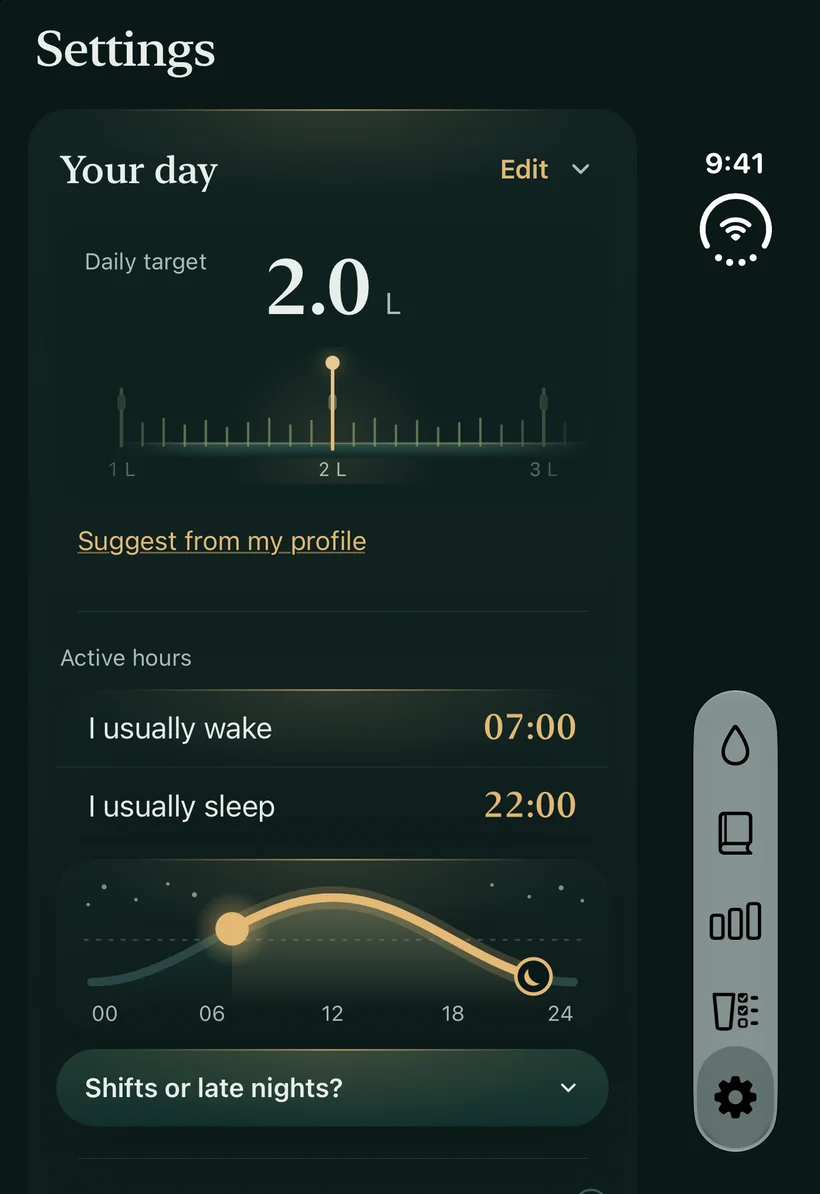
Twelve hours on your feet, and a bottle in the break room you see twice. You get home at eight in the morning ready for bed. Set your waking hours to 19:00 to 07:00 and Millpond's day ends when yours does.

Your night with Millpond
- Waking hours
- Set waking hours to 19:00 to 07:00. Your total, reminders and pace line run on that day, so a 3am glass counts toward tonight.
- At break
- Say “a water at shift change and a coffee at two” and each lands at its time.
- Reminders
- Reminders stay inside your waking hours. Your sleep is left alone.
- Switching to days?
- Change your waking hours in Settings.
How do I remember to drink water on a 12-hour night shift?
Tie it to your breaks. Drink at each break and log it there, with one tap or one sentence. If a stretch went by without a log, catch it up by voice and each drink lands at its time. Reminders fall inside your waking hours only, so the ones that arrive fit the shift you are on.
What you won't find
A streak that breaks when a shift runs over. A day that resets at midnight in the middle of your shift. Ads.
Questions
- Does Millpond work for night shifts?
- Yes. Millpond lets nurses and night-shift workers set waking hours that cross midnight, so the day's total runs from when you wake to when you sleep.
- What if I forget to log during a shift?
- Millpond lets you log later, drink by drink or as a day total, up to 30 days back.
- Will Millpond remind me while I sleep?
- No. Millpond's reminders stay inside the waking hours you set.